
Back to Main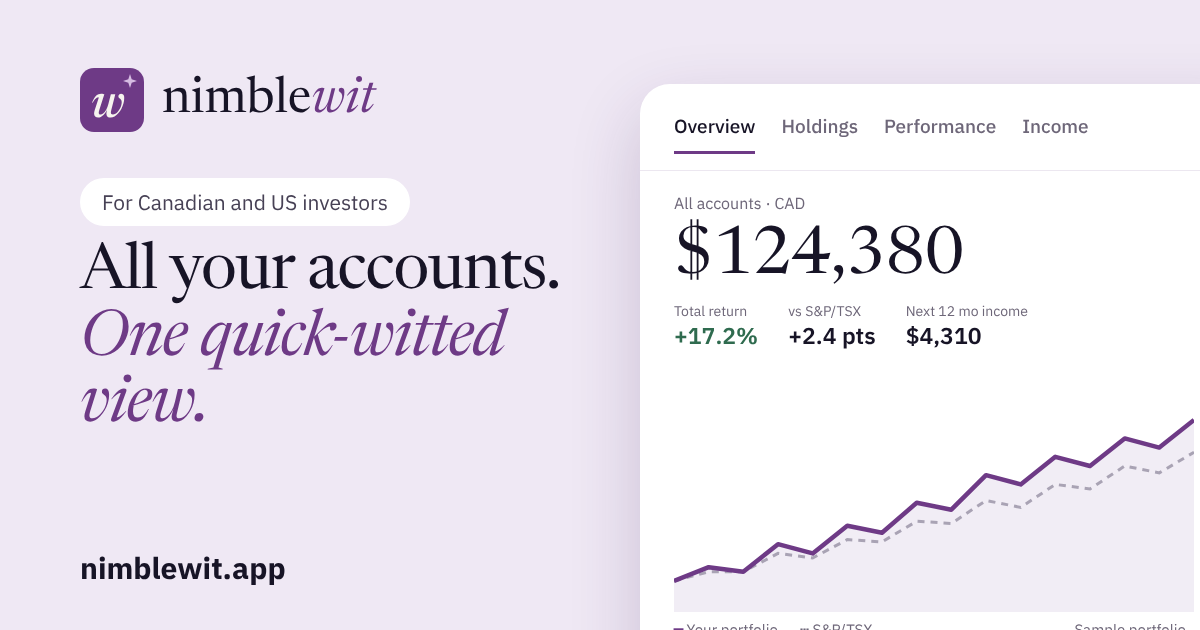


 All product launches
Nimblewit App
Nimblewit tracks your accounts, dividends and returns across brokers. Import statements or screenshots, see expected income, and compare vs the market
FreeFinance & PaymentsListed
About Nimblewit App
Track your TFSA, RRSP, 401(k), IRA and brokerage accounts in one place. Import statements, see real returns, dividends and expected income. Free to start.
Use cases
Details
- Category
- Finance & Payments
- Tier
- Free
- Board position
- #3669
Media
Links
Frequently asked questions
Do I need to connect my brokerage?
No. Nimblewit never asks for your brokerage or bank password. Upload PDF statements, screenshots or CSV exports, or add trades by hand, and you review everything before it's saved.
What does the free plan include?
Starter is free with no time limit: 2 accounts, 10 holdings, unlimited manual trades, 5 statement or screenshot reads a month, paper accounts, your returns for today and for 1 month or longer, allocation, dividends received and the next month of expected dividends. Builder adds the full 12-month income calendar, 7- and 14-day views and the income emails. Planner adds the Planning tab and custom benchmarks.
What happens when my 30-day trial ends?
You move to the free Starter plan unless you choose a paid plan. Nothing is deleted. If you're over the free limits, you pick which accounts stay on your dashboard (the oldest stay if you don't choose). The rest are kept with their history and come back when you upgrade.
What counts as a holding, and what are the limits?
A holding is one security, however many accounts it sits in, so the same ETF in two accounts counts once. Starter allows 10 holdings and 2 accounts, Builder 50 and 5, and Planner has no limits.
What can I import, and how many statements can I read?
CSV and Excel exports from your broker, PDF statements and screenshots, or a Nimblewit export file. You review every row before anything is saved. Statement and screenshot reads are limited each month (5 on Starter, 10 on Builder, unlimited on Planner), and only reads that succeed count. Manual trades and spreadsheet imports in a recognized layout are not limited.
How do I keep my portfolio up to date?
Prices and dividends update on their own after each market close. When you buy or sell, drop in a new statement or screenshot, or add the trade by hand in a few seconds.
How do the 1-day, 7-day and 14-day views work?
Each view shows the return over that period, the dollar change of each holding and what moved your portfolio. They use daily closing prices saved after each market close. Starter has today's change and 1 month or longer. The 7- and 14-day views start on Builder.
How are expected dividends estimated?
From each holding's payment history and any payments the company or fund has already declared. Estimates are clearly marked until they're paid, and your statements always win if they differ.
What does the Planning tab do?
On Planner, you enter your ages, savings, other income and a withdrawal rate, and it projects your portfolio and your yearly retirement income, with your dividends counted inside the withdrawal. It also runs 1,000 simulated market paths to show a range of outcomes and the chance your money lasts to a chosen age. You can save named plans and export one as a PDF. It's an illustration, not advice or a forecast, and it doesn't calculate tax.
Can I test ideas without using real money?
Yes. Mark an account as a paper account on any plan. It's kept out of your All accounts totals unless you select it.
Which emails will you send me?
Account emails (sign-in links, billing notices) and, unless you switch them off in Settings, setup tips, a monthly summary on the 2nd, and on Builder and Planner a monthly income email on the 5th and an upcoming-dividends email on the 25th. Every optional email has its own switch and an unsubscribe link.
Can I cancel any time?
Yes. Cancel in Plan & billing and you keep your plan until the period you paid for ends, then move to Starter. Nothing is deleted.
Can I export or delete everything?
Yes. You can export all of your data at any time, and delete all of it from Settings. Deleting is permanent.
Is this investment or tax advice?
No. Nimblewit calculates figures from the data you give it and from third-party prices, so check important numbers against your broker statements. Expected income and projections are estimates, and nothing here is investment, tax or legal advice.
Comments
Explore
More in Finance & Payments
PaidInvoice
FreeInvoicing made incredibly simple PaidInvoice helps freelancers and small busines…
0 votes
My Overtime Tax
Freehttps://www.myovertimetax.com/ is a free online tool that helps U.S. workers est…
0 votes
Buvei
FreeBuvei offers virtual cards, global payments, spending controls, transfers, eSIMs…
2 votes
Recent launches


Made/Posted by John Meloche
Looking for something different? See Nimblewit App alternatives